
File Migration
Automated, Optimized Migration for Microsoft SharePoint, CoPilot, Purview and Fabric

"Migrating unstructured files to SharePoint, then trying to resolve, is inefficient, costly, inaccurate, ineffective and damages corporate productivity"
Eliminate these risks with

Legacy documents, emails, and attachments may contain duplicates, broken links, and inconsistent metadata, reducing searchability, CoPilot and PurView readiness.
Expede Nexus solves this by transforming content before migration, ensuring SharePoint libraries receive clean, enriched, and structured data.
With Expede nexus, teams configure ingestion rules, deduplicate files, rebuild broken links, and enrich metadata. Domain-aware AI extracts tables, entities, and relationships, preparing content for CoPilot, AI and Perview governance.
nexus Bridge desktop application executes automated migration scripts, handles permissions, batch uploads, and provides real-time monitoring with full audit trails.
Seamless Transfer to SharePoint
Automated Document Linking
Intelligent Duplicate File Management
Remove, replicate or link duplicate files, for optimization while maintaining corporate and team benefit
Meta Data Enrichment
Company & Industry Enhancement
Library & Folder Optimization
Real-time Monitoring & Audit
Fully Optimized for CoPilot and Purview
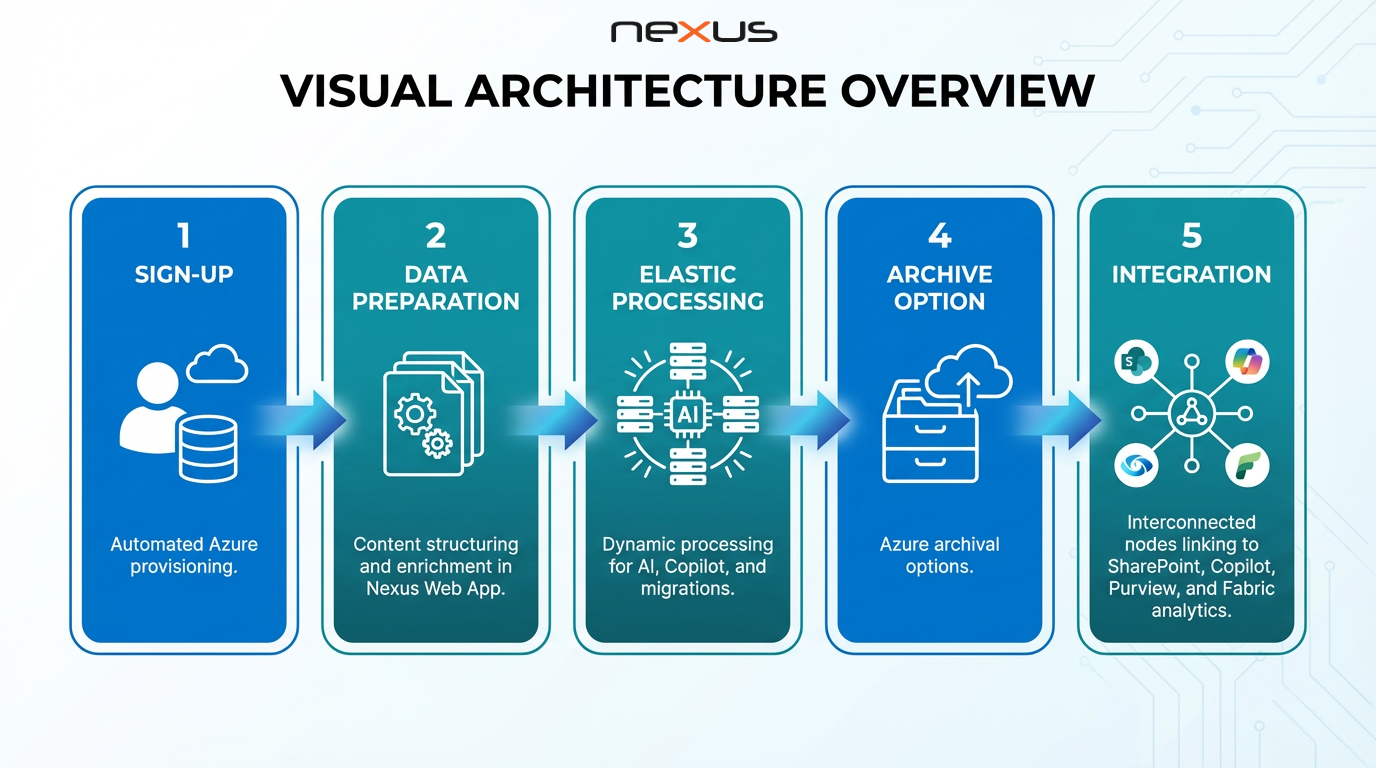
The Nexus Workflow
Utilize Nexus Bridge desktop application to seamlessly migrate all folders and files to Nexus without the need to undertake any pre-analysis, folder rearrangement, file name changes or any other requirement for SharePoint, simply 'drag-and-drop ' and Nexus will do the rest.
Within Nexus Web Application, analyze and optimize sites, libraries and folder structure for SharePoint while retaining the key requirements of company departments and teams.
Nexus automatically identifies and catalogues all duplicate files, enabling deletion, duplication across libraries or automatically building of cross library links to a single version of a file, allowing maximum flexibility across teams while maintaining security
Nexus automatically catalogues all links across documents and identifies any broken links prior to migration to SharePoint. Links can be removed or reestablished, even across duplicate files. Nexus allows document link management across staged migrations by department to ensure business continuity without the need to migrate all files at once
Nexus extracts all native file content and can apply AI to further enhance extraction across PDF, images, tables etc. From this rich data set, Nexus enhances file meta data, structures SharePoint columns and settings for an optimized environment for both CoPilot and Purview
Nexus fully manages the migration of the optimized and enhanced files to SharePoint. With automated SharePoint configurations across settings, search schema, sites, libraries, folders, files and SharePoint columns. Migration can be phased with full audit management and control.
why

Expede Nexus Vs industry conventional approach to migrating unstructured files to SharePoint
Book a Proof of Concept (POC)
Unlock your Corporate unstructured data and experience its true value in Office 365